
Your Guide to Starting a Channel on Kupydo (and Why You Should)

Starting your own channel feels intimidating. But it doesn't have to be.
Whether you're 13 or 30, creating a space where people share your interests is easier than you think. Kupydo makes it simple to build your own corner of the internet, without the stress.
Why Start a Channel on Kupydo?
Most platforms take your money. They control your content. They change rules without asking.
Kupydo is different.
You keep 100% of what you earn. No hidden fees. No surprise cuts. Your channel, your profits.
Simple rules that actually make sense. We don't have 50-page terms nobody reads. Our channel rules are clear and fair.
Built for real conversations. Not endless scrolling. Not fake engagement. Just people talking about things they love.
Safe for everyone. Teens and adults can create channels knowing the platform prioritizes safety and respect.

Before You Start: What Makes a Great Channel?
Great channels solve problems or fill gaps. They bring people together around shared interests.
Ask yourself:
- What do you know that others want to learn?
- What hobby or interest do you love talking about?
- What kind of community is missing from your life?
Your channel doesn't need to be perfect from day one. It just needs to be genuine.
Step 1: Choose Your Channel Topic
The best channels focus on one main thing. Broad topics like "entertainment" are too vague. Specific topics like "indie horror games" work better.
Popular channel ideas that work:
- Study groups for specific subjects
- Local meetup planning
- Specific game communities
- Creative projects and feedback
- Mental health support groups
- Hobby communities (photography, cooking, art)
- Book clubs and reading groups
- Workout buddies and fitness goals
Pro tip: Pick something you genuinely enjoy. Fake enthusiasm shows. Real passion attracts the right people.

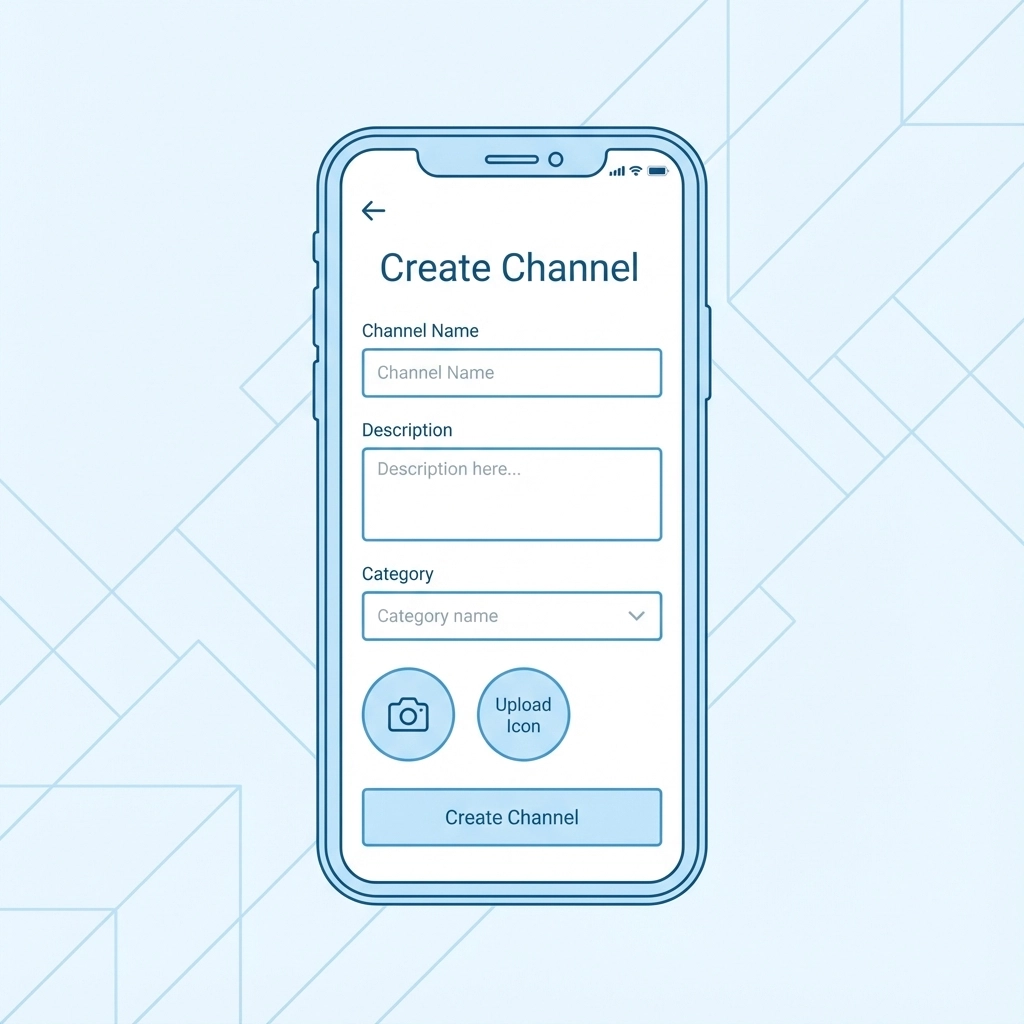
Step 2: Setting Up Your Channel
Creating a channel on Kupydo takes less than 5 minutes.
- Log into your Kupydo account
- Click "Create Channel" from your dashboard
- Choose your channel name (keep it simple and memorable)
- Write a clear description (2-3 sentences about what your channel offers)
- Set your channel rules (or use our helpful defaults)
- Choose your privacy settings (public, private, or invite-only)
Your channel name should tell people exactly what they'll find. "Sarah's Study Group" is better than "Random Thoughts."
Step 3: Craft Your Channel Description
Your description is your first impression. Make it count.
Good description example:
"A supportive space for high school students studying for AP Biology. Share study tips, ask questions, and find study partners. All skill levels welcome!"
What makes it work:
- Specific target audience (high school AP Bio students)
- Clear value proposition (study tips, questions, partners)
- Welcoming tone (all skill levels)
Keep descriptions under 100 words. People scan, they don't read novels.
Step 4: Create Your First Posts
Empty channels feel unwelcoming. Start conversations before inviting others.
Your first 3-5 posts should:
- Introduce yourself and your goals
- Ask an engaging question
- Share something helpful or interesting
- Set expectations for the community
- Invite others to participate
Example first posts:
- "Hey everyone! I'm starting this channel because..."
- "What's the biggest challenge you face with [topic]?"
- "Here's a helpful resource I found..."
- "Let's establish some ground rules together..."
Step 5: Establish Community Guidelines
Every great community has clear expectations. Don't overthink this.
Essential guidelines to consider:
- Be respectful to everyone
- Stay on topic
- No spam or self-promotion without permission
- Ask before sharing personal information
- Report problems to moderators
Keep rules positive. Instead of "Don't be rude," say "Be kind and supportive."
Step 6: Invite Your First Members
Start small. Quality beats quantity every time.
Where to find your first members:
- Friends who share your interest
- Other online communities (politely)
- Social media (but don't spam)
- Local groups or clubs
- Classmates or coworkers
Invite 5-10 people initially. Let organic growth happen naturally.
Moderation Made Simple
Moderation sounds scary. It's actually straightforward.
Daily moderation tasks:
- Check new posts for relevance
- Respond to questions quickly
- Remove spam or inappropriate content
- Welcome new members
- Keep conversations flowing
When problems arise:
- Address issues privately first
- Give warnings before bans
- Be consistent with rules
- Ask for community input on major decisions
Most people want to follow rules. Make them easy to understand and follow.
Growing Your Community
Growth happens when people feel valued and heard.
Strategies that actually work:
- Ask questions regularly
- Celebrate member achievements
- Share interesting content consistently
- Respond to every new member
- Create recurring posts or themes
- Cross-promote respectfully with similar channels
What doesn't work:
- Begging for members
- Posting non-stop without engaging
- Copying content from other places
- Ignoring your community's feedback
Keeping Your Channel Active
Dead channels drive people away. But "active" doesn't mean posting every hour.
Sustainable posting schedule:
- 3-5 posts per week minimum
- Respond to comments within 24 hours
- Weekly discussion posts or questions
- Monthly community check-ins
Content ideas that work:
- "Question of the day" posts
- Resource sharing (articles, videos, tools)
- Community member spotlights
- Progress updates or challenges
- Behind-the-scenes content

Making Money on Kupydo (If You Want To)
Unlike other platforms, Kupydo doesn't take a cut of your earnings.
Ways to monetize your channel:
- Premium memberships for extra content
- Virtual events or workshops
- Consultation services
- Digital products or courses
- Affiliate partnerships (if allowed by your community guidelines)
Remember: Focus on value first. Money follows engaged communities, not the other way around.
Common Mistakes to Avoid
Starting too broad: "General chat" channels rarely thrive. Pick a specific focus.
Over-moderating: Let conversations flow naturally. Don't micromanage every interaction.
Inconsistent posting: Sporadic activity kills momentum. Create a schedule you can maintain.
Ignoring feedback: Your community knows what they want. Listen to them.
Promoting too much: Share valuable content, not constant self-promotion.
When Your Channel Takes Off
Success brings new challenges. Here's how to handle growth:
- Add trusted moderators when you hit 50+ active members
- Create channel-specific rules as your community develops its own culture
- Consider creating sub-channels for different topics or activities
- Stay connected to your community's needs and interests
Your Next Steps
Starting a channel on Kupydo is free and risk-free. The worst thing that happens? You learn something new about building communities.
The best thing? You create a space where people genuinely connect over shared interests.
Ready to get started? Visit Kupydo and create your first channel today. Your community is waiting for you to bring them together.
Remember: Every successful channel started with one person who decided to take the first step. That person could be you.